Cross Stitch: Color by Number
EyewindBoard
4.418.60K Reviews
- Version
- 2.14.0
- Installs
- 10.00M
- Age Rating
- Everyone
Screenshots


Our Review of Cross Stitch: Color by Number
 Analysis by Appyee
On a shared phone or tablet, a relaxing game can become a small household ritual: one person starts a picture, another takes a turn, and the finished image becomes something to show around the room. That kind of casual use is where Cross Stitch: Color by Number makes sense. It turns a familiar craft into a simple tap-and-color activity, with no physical supplies to gather. I’d treat it as a pleasant shared pastime rather than a replacement for making a stitched piece by hand.
A low-pressure game for passing the device around
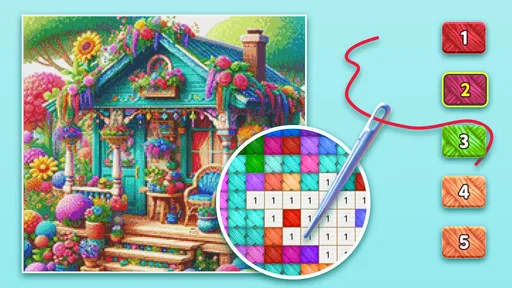
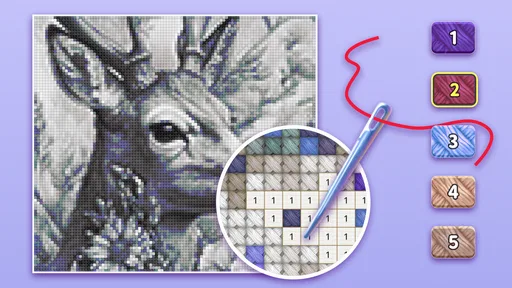
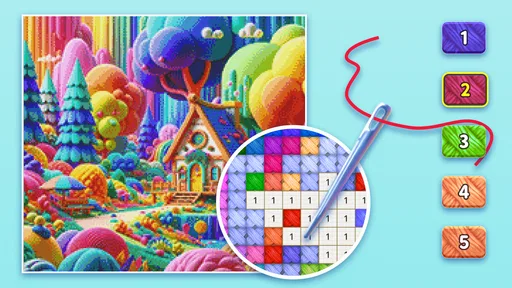
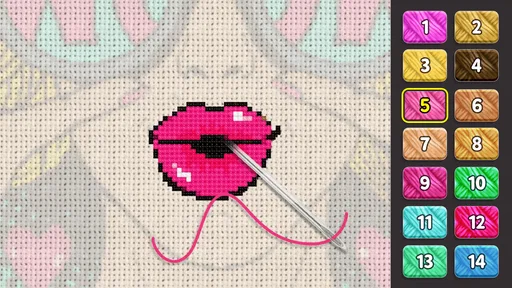
The appeal is easy to understand even if nobody in the house has tried cross-stitch before. A pattern is divided into numbered squares, and each tap fills a square with its matching color. That gives a shared session a clear rhythm: choose a section, work through it, then hand the device to someone else. It can fit into a quiet stretch after dinner or a wait at an appointment, when a board game would take too long to set up.
For a useful shared-device routine, I’d agree on one simple boundary before starting: whether everyone is working on the same picture or taking turns choosing separate ones. The game’s save function makes it practical to pause and return later, but a saved game is not the same thing as separate household accounts. If several people use one device, it’s worth being deliberate about who is continuing a pattern and who is beginning another, rather than assuming each person has an isolated space.
What the digital format changes
Compared with a physical cross-stitch kit, this is much easier to pick up for a few minutes. There is no fabric, thread, needle, or pattern sheet to prepare, and the color-number system handles the matching for you. That convenience is also the main trade-off: the satisfaction comes from completing a picture on a screen, not from learning stitches or producing a fabric piece you can display. If the tactile work, material choices, or finished textile are the point for you, a real kit is the better choice.
It also differs from ordinary coloring apps. The numbered grid makes progress feel methodical, while freehand coloring usually gives you more control over where colors go. Here, the structure can be calming when you want a clear next step, but it can feel repetitive if you prefer improvisation or want to make your own design decisions. I find it best to think of it as a guided puzzle with a crafty look, rather than a full creative studio.
Sharing without confusing the setup
Completed pictures can be shared with friends or on social media, which gives a household a simple way to show a result without passing the device around. I’d keep that choice with the person who made the picture, especially when children are using a shared device. Sharing a finished image is different from letting several people use one account or device without boundaries, so a parent or device owner should decide what is appropriate before anyone posts or sends anything.
The game is free to download, while optional in-app purchases range from $1.99 to $59.99 per item. That spread is a good reason to set a purchase expectation in advance on a device used by more than one person. I wouldn’t assume that “free” means every available item is included, or that a child who can play should also be able to make purchase decisions. The simplest arrangement is to have the adult handle any spending choices and let everyone else focus on the patterns.
Who is likely to enjoy it at home
I’d recommend it for someone who likes color-by-number activities, wants a gentle way to pass short breaks, or enjoys watching a detailed image come together one small area at a time. It can also suit a mixed-age household because the basic interaction is easy to explain. Eyewind develops the game, which is listed for Everyone; that age label is useful context, but it doesn’t replace a family’s own judgment about screen time, sharing, or purchases.
It may be less satisfying for people who want a competitive board game, a story-driven game, or a hands-on craft with a physical result. It also isn’t the best fit if you find repeated tapping tedious or prefer an open canvas where you control every color. In those cases, a traditional board game, a paper coloring book, or an actual cross-stitch kit may offer more of what you’re looking for.
Small habits that make sessions smoother
When I’m working on a detailed picture, I use zoom to focus on a manageable patch instead of trying to scan the whole grid at once. This reduces the chance of losing my place and makes the numbered squares easier to follow. On a shared device, it also gives each person a natural stopping point: finish a small area, pause, and leave the next section for whoever takes over.
I’d also choose a pattern with the available time in mind. A simple design is a better fit for a brief break, while a more intricate one can be enjoyable when you have room to settle in. The app offers patterns at different levels of complexity, so choosing by mood and time is more useful than treating every picture as a project to finish in one sitting. Saving progress helps with interruptions, but it doesn’t make a long session necessary.
If someone asks whether the game needs crafting experience, I’d say no: the numbered squares provide the instructions, and the basic loop is approachable. If they ask whether it teaches real needlework, I’d be clear that it doesn’t replace practicing stitches with fabric and thread. And if they ask whether they can share a picture, the social sharing option makes that possible, but I’d leave the decision to the device owner or parent when children are involved.
What Makes Cross Stitch: Color by Number a Stitch in Time?
First off, the app is super easy to navigate. When you open it up, you’re greeted with a welcoming interface that doesn’t overwhelm you with options. I’m all about simplicity, especially after a long day. The menu is straightforward, and you can jump right into stitching without any fuss.
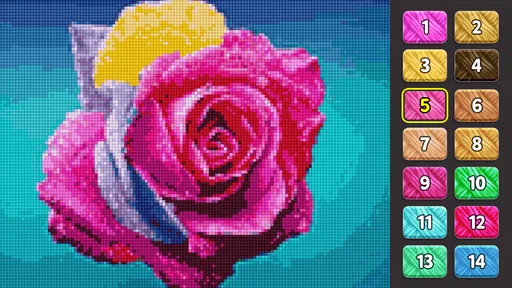
The app offers a variety of patterns that range from simple to intricate. Whether you’re a newbie or a seasoned cross-stitcher, there’s something here for everyone. I started with a basic pattern just to get a feel for it, and soon enough, I was hooked.
Coloring by Numbers: A Nostalgic Twist
Remember those color-by-number books from childhood? The game brings that same nostalgic joy but with a modern twist. Each pattern is segmented into tiny squares, each labeled with a number. Choose the corresponding color on the palette, and tap away. It’s incredibly satisfying to watch the picture come to life with each tap.
I found myself lost in the process, almost like meditating. It’s a perfect way to unwind and de-stress, and it’s something you can do anywhere — on the train, during a lunch break, or while lounging at home.
Features Worth Highlighting
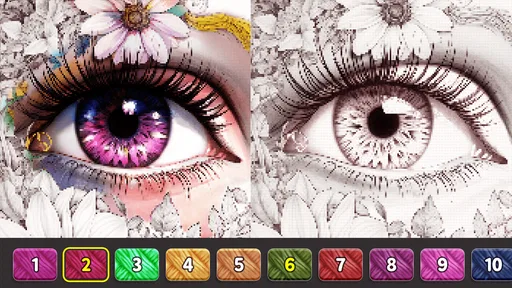
One of the features I absolutely love is the zoom function. Some patterns are quite detailed, and being able to zoom in and focus on smaller sections is a game-changer. It ensures precision and makes the process smoother.
Additionally, the app offers a handy save feature. Life gets busy, and sometimes you can’t finish a pattern in one sitting. This feature allows you to pick up right where you left off, which I find super convenient.
Lastly, the app is regularly updated with new patterns, so there’s always something fresh to try. This keeps the experience exciting and ensures you never run out of options.
The Social Side of Stitching
Another cool aspect is the community element. You can share your completed works with friends or on social media. It’s a fun way to showcase your creativity and maybe even inspire others to join in on the cross-stitch craze.
Plus, seeing what others have created can give you new ideas and help you discover patterns you might not have tried otherwise. It’s a lovely way to connect with fellow enthusiasts from around the world.
A practical choice for a shared household
The game is free, has an average rating of 4.4 from around 195,000 ratings, and has been installed over 10 million times. Its current version is 2.12.4, and it runs on Android 6.0 or later. Those figures suggest that it has found a broad audience, though popularity alone doesn’t tell you whether its gentle, repetitive pace will suit your household.
For me, its strongest household use is a calm activity that can be picked up and put down without a long explanation. It is not a substitute for a game built around turns, strategy, or competition, and there is little reason to choose it if your group wants lively back-and-forth play. But when the goal is simply to share a quiet few minutes, its clear visual task is an advantage.
The key practical question is who controls the device and purchases. Because one saved activity may be used by whoever opens the app, I’d avoid treating it as a personal workspace for every family member. Decide whose pattern is in progress, and keep purchase choices with the adult responsible for the device. That small bit of coordination prevents a relaxing game from becoming a source of confusion.
My household verdict
For a shared phone or tablet, I see this as an easygoing option for short, low-stakes sessions, especially if someone already likes puzzles or color-by-number books. It gives children and adults a common activity without requiring craft supplies, while the age rating of Everyone offers a straightforward starting point for parents assessing suitability. I’d still supervise sharing and spending choices according to the child and device, rather than treating the rating as a complete family-use policy.
Cross Stitch: Color by Number is a board game in the broad store category sense, but its actual appeal is closer to a solo, meditative puzzle than a conventional tabletop game. Eyewind’s digital version works best when you want a tidy pattern to complete at your own pace. I’d recommend trying it if that sounds appealing; if you want a tangible handmade result, more creative freedom, or a truly collaborative game, I’d choose a different activity.
Final Thoughts
All in all, the game is a delightful app that brings the classic art of cross-stitching into the digital age. It’s perfect for unwinding, tapping into your creative side, and enjoying a little slice of nostalgia. Whether you’re a crafting newbie or a seasoned pro, this app offers a charming and relaxing experience.
So, if you’re looking for a new hobby or just a way to relax, give it a try. You might just find it’s the perfect addition to your daily routine. Happy stitching!
Verdict
Strengths of Cross Stitch: Color by Number
- Intuitive interface for easy navigation.
- Wide variety of patterns available.
- Relaxing and stress-relieving gameplay.
- Offline mode for uninterrupted crafting.
- Regular updates with new designs.
Limitations of Cross Stitch: Color by Number
- Limited free patterns available.
- Contains in-app purchases.
- Occasional ads disrupt experience.
- No option for custom pattern creation.
- Requires significant storage space.
Other Releases by Eyewind
View All
PaperColor
Art & Design4.5
Similar Picks in This Category
View All
Ludo King®
Gametion4.1

Ludo
Yarsa Games4.6

Tile Master® - Matching Game
Higgs Studio3.6

Checkers Online
CC Games4.6

Dominoes
Loop Games4.7

Chess
Chess Prince4.6
Frequently Asked Questions
What is Cross Stitch: Color by Number?
Cross Stitch: Color by Number is a mobile app designed for both Android and iOS devices that allows users to engage in digital cross-stitching. It offers a relaxing and creative way to pass the time by coloring various patterns in a cross-stitch format. The app provides a wide range of designs and color palettes to choose from.
Is Cross Stitch: Color by Number free to use?
The app is free to download and offers a selection of patterns at no cost. However, it includes in-app purchases and subscription options that provide access to premium patterns and additional features. Users can choose to upgrade for an enhanced experience, but the core functionality is available without payment.
How user-friendly is Cross Stitch: Color by Number?
Cross Stitch: Color by Number is designed with an intuitive interface, making it accessible for users of all ages. The app features simple controls for selecting and applying colors to patterns. It also includes helpful tutorials and tips for beginners, ensuring a smooth and enjoyable user experience.
Does Cross Stitch: Color by Number require an internet connection?
While the app can be used offline for coloring previously downloaded patterns, an internet connection is necessary for downloading new patterns and updates. Additionally, accessing premium content or managing subscriptions will require connectivity. Regular updates may also enhance the app's functionality and content library.
What kind of patterns are available in Cross Stitch: Color by Number?
The app offers a diverse collection of patterns ranging from simple designs to intricate artworks. Users can find themes such as animals, nature, abstract art, and seasonal decorations. With regular updates, the app continually expands its library, ensuring a fresh and varied selection for all artistic preferences.
Play our best games!


